
A Timer Born from the Voices of Active Instructors
Set a timer not just for "how many minutes left," but "until what time."
Goal Timer is an app born from the voices of active instructors. From classrooms to boardrooms, large conferences to exam halls, it supports everyone sharing the same goal.
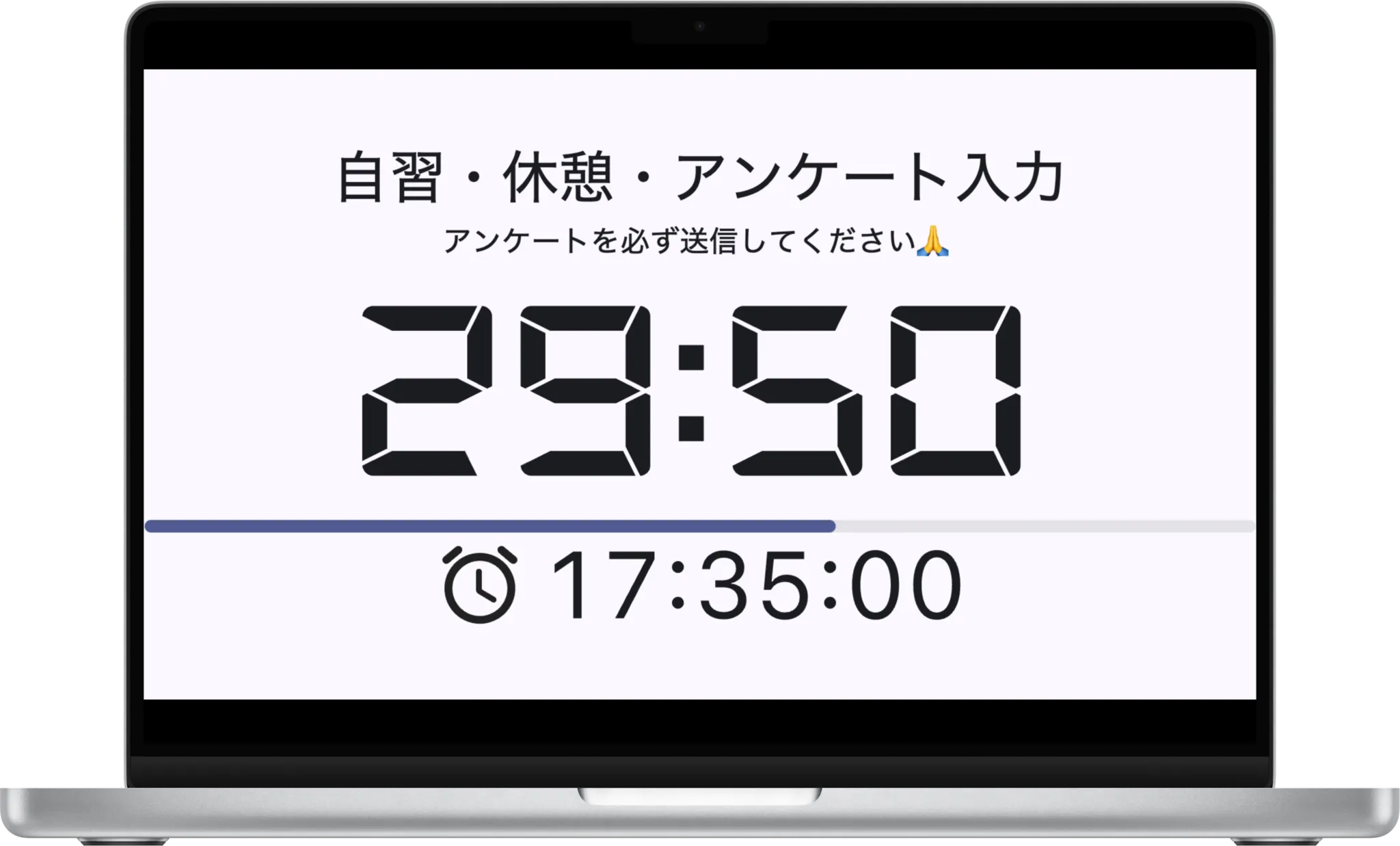
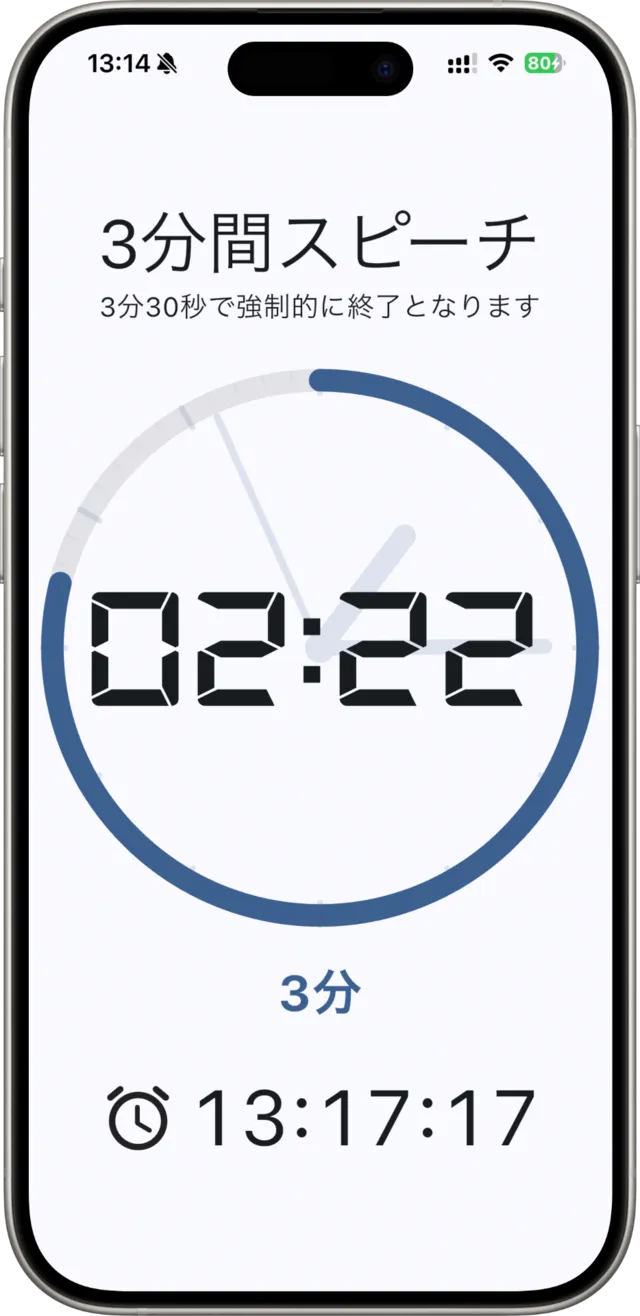

All-in-one: Targeted Time, Duration, and Clock
Set the end of the first period using the targeted time timer
Set the exercise duration using the duration timer
Keep track of the current time with the clock
Key Features
- 01
Targeted Time Countdown
You can set a specific end time, such as "until 13:00", to start the countdown. Since everyone is aware of the same goal (time), it facilitates smoother transitions in workshops and training sessions.
- 02
Track Overtime at a Glance
By disabling "Auto-stop at 0 seconds," the timer continues to count up after the time limit is reached. This allows you to accurately track how many seconds a speaker has exceeded their limit in situations like a 3-minute speech.
- 03
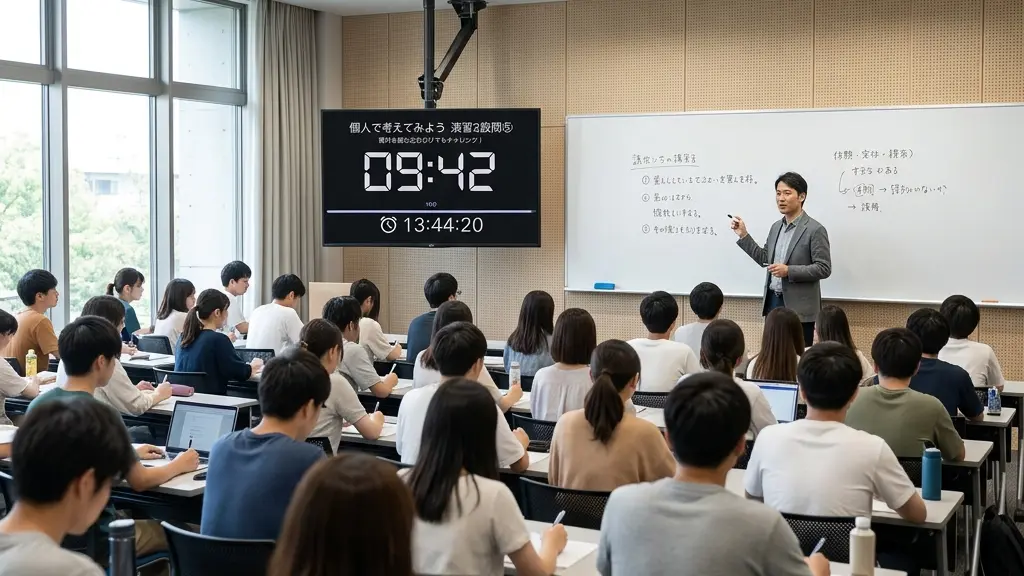
Outstanding Visibility: From the Back of the Room or Across the Screen
Featuring large, highly legible characters optimized for visibility, anyone can check the remaining time without effort—whether from the back of a large classroom or through a screen share in online meetings. It ensures everyone stays aligned on the same "goal" at all times.
- 04
Intuitive Progress: Visual Feedback Features
Visualize the remaining time with progress bars and circles. Since participants can intuitively grasp "how much time is left" without reading the exact numbers, pacing during exercises and discussions becomes naturally smoother.
- 05
Give Clear Instructions with "Titles"
Consolidate all the information required for training on a single screen. It is not just a tool for measuring time, but a timer designed to command and control the venue. Even latecomers can instantly understand "what to do now" just by looking at the title.
What to do (Title)Key points to note (Subtitle)How long (Set Duration)By when (Target End Time)Remaining minutes (Time Left)At a glance (Visual Progress)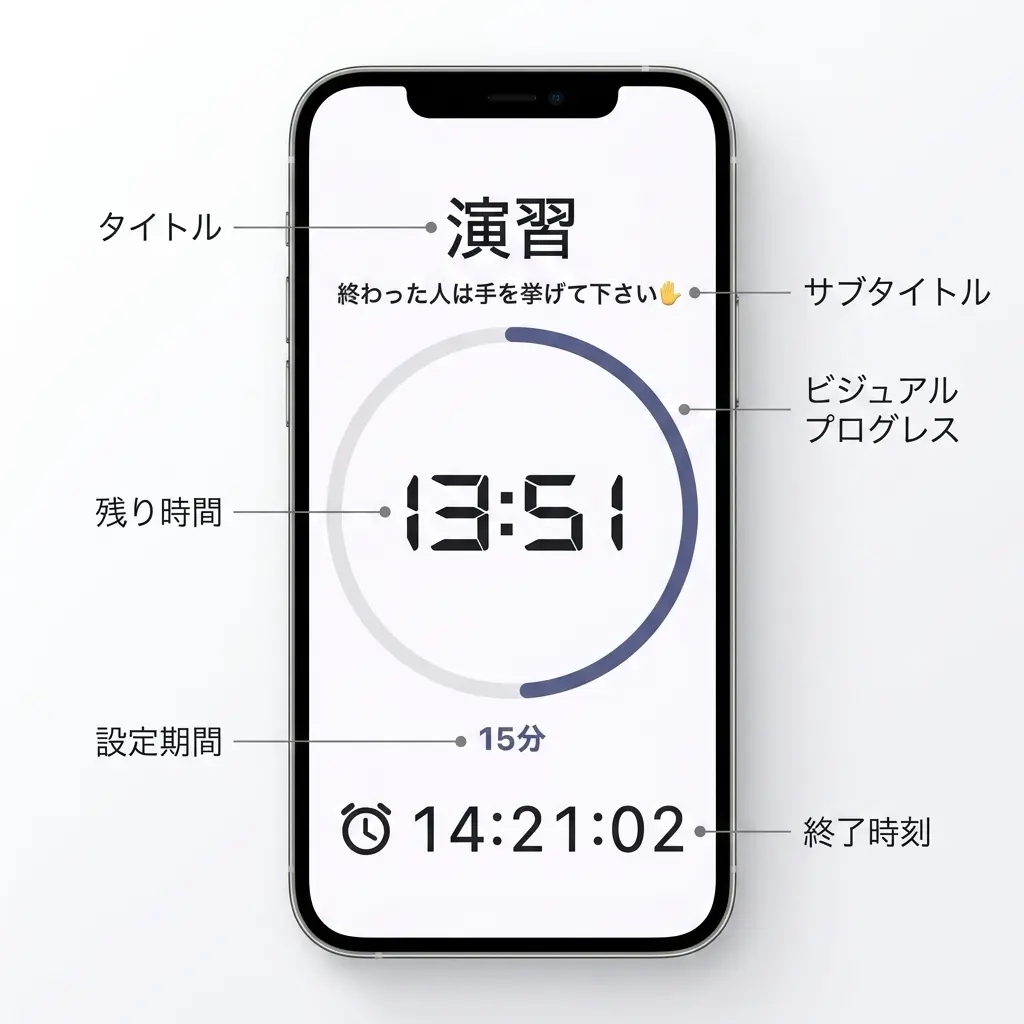
- 06
From Simple Sounds to Spoken Words: High-Flexibility Text-to-Speech
Instead of a generic alarm beep, notify participants with clear spoken announcements like "The exercise has ended" (disabled by default). With a fully customizable read-aloud format, you can instantly identify what the alert is about, even in environments running multiple timers concurrently.
Remaining timer timeTimer finishedTime is upOvertime durationTimer configuration detailsCurrent time - 07
Know the Time Without Checking the Clock: Your Busy Morning Partner
An instructor's morning is packed minute-by-minute, leaving no time to look at a clock. That's where the voice time announcer shines. It acts as an "audio clock" to support your morning preparations.
Every hourEvery minuteCustom intervals (e.g., every 5 or 10 minutes) - 08
Recall Presets with a Single Tap
In training sessions, there are many scenarios requiring time management, such as breaks, exercises, discussions, and tests. By registering timers for each purpose as presets in advance, you can recall them instantly with a single tap.
Sort them in chronological order of your training schedule and you are ready to goLeverage the copy feature to quickly create similar timer settingsSave your carefully tuned "current configuration" into presets with one tapShare presets via export (files or clipboard)Restore presets via import (append or overwrite) - 09
Designed for Strict Security Environments
Security conditions at training venues are often very strict. No matter how much time you spend preparing, it is meaningless if the app cannot run on-site.
Use the web version with no installation required in environments where installing apps is restrictedImport presets and settings via the clipboard in environments where file handling is blocked - 010
Reliable Auto-Lock to Keep Things Running Smoothly
Prevents accidental pauses or disruptions during sessions caused by unexpected clicks or screen touches.
Toggle Auto-Lock ON/OFF freely (disabled by default)Provides peace of mind even when keyboard shortcuts for play/pause are enabled - 011
Instant Recovery on Restart in Case of Sudden Interruption
Stay calm even if the app closes unexpectedly. With the hibernation feature, simply restarting the app restores the timer state seamlessly "as if nothing happened." This minimizes instructor anxiety and ensures you can maintain calm control over your sessions.
- 012
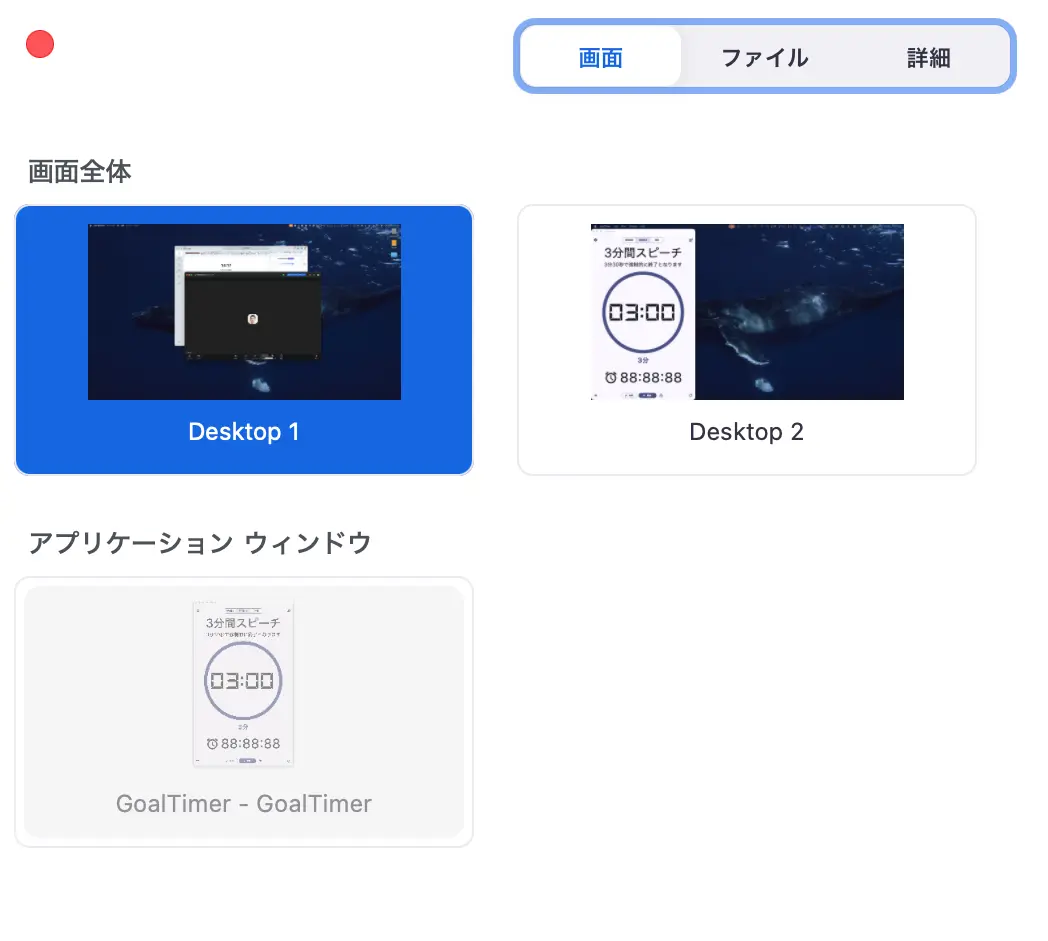
Worry-free Design Optimized for Screen Sharing
To ensure the app appears reliably in the sharing list of web conferencing applications, we designed it strictly in compliance with standard OS behaviors. This eliminates the panic of "the timer is not showing up in the screen-sharing list!" right when you need to share it.
Download the App




Mobile Apps
For study, training, and self-management. Support your personal goals right in your hands.
 iOS / iPadOS
 Android